
The bots find you before your customers do
Stand up a fresh WordPress install, point a domain at it, and the login probes start almost immediately. We have watched a brand new site take a hit every few seconds: requests to /wp-login.php, /xmlrpc.php, /wp-admin, probes for known-vulnerable plugin paths, attempts to load a wp-config.php backup someone left in the web root. None of it is targeted. It is automated, indiscriminate, and running all the time against the entire IPv4 space. Your obscurity is not a defense. Nobody decided to attack you. A script did.
Here is the part worth sitting with. In nine years of building and maintaining WooCommerce stores, almost every compromise we have been called in to clean up was missing two or three basics. Not a clever zero-day. Not a state actor. An outdated plugin, a reused admin password, no second factor, a backup nobody had ever restored. The exotic stuff makes headlines. The boring stuff is what actually gets people.
So here are the seven defenses we put on every site we build or maintain. None of them are exotic. That is the point.
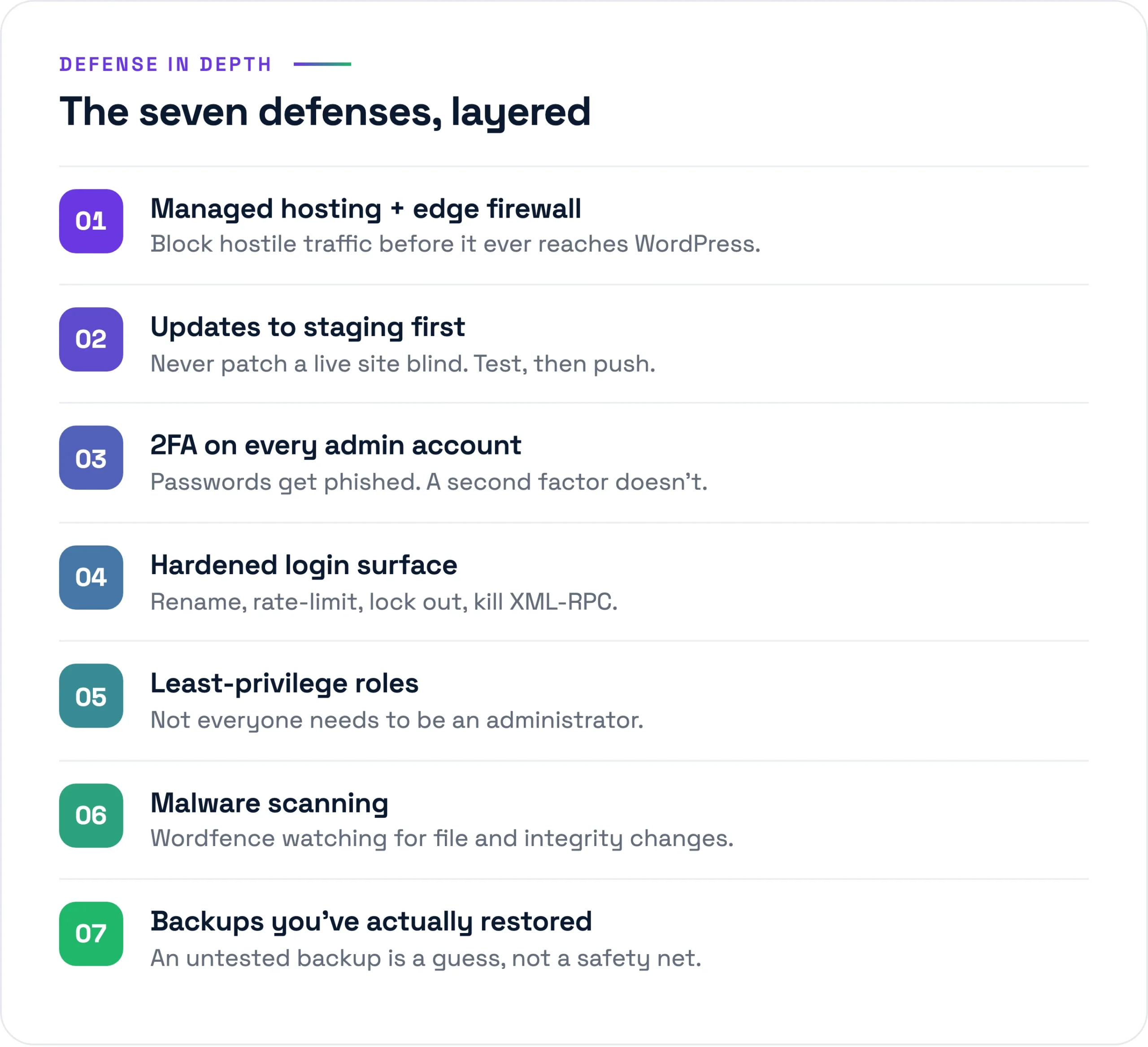
Managed hosting, and a firewall before the firewall
Most sites we run live on Kinsta, with Cloudflare in front. This is not brand loyalty. The host absorbs a whole class of problems before they ever reach the application. Kinsta runs its own hardware firewall, rate-limits login attempts at the server, bans IPs that hammer wp-login, and isolates each site in its own Linux container so one compromised tenant cannot reach another. We are not patching the OS, tuning PHP-FPM, or watching for kernel CVEs at 3 a.m. Someone whose full-time job that is handles it.
Cloudflare sits at the edge and does the work no plugin can do, because a plugin only runs after the request has already woken up PHP and hit the database. The edge filters malicious traffic, soaks up volumetric DDoS, and lets us write firewall rules that block, say, every POST to /wp-login.php that comes from outside the two or three countries our admins actually log in from. Bad traffic that never touches your origin costs you nothing and cannot exploit anything. A typical well-built store on this setup runs US$35 to 200 a month all-in, and a real slice of that money is buying defenses you would otherwise be reinventing, badly, in PHP.
Updates go to staging first. Always.
WordPress core, plugins, and themes ship security fixes constantly, and running outdated code is the single most common way we see attackers get in. So updates are not optional. But auto-updating straight to production is how you wake up to a white screen because a plugin bumped a minor version and collided with your theme.
Every site we maintain has a staging environment, one click away on Kinsta. Updates land there first. We apply them, click through checkout, submit a contact form, load the cart with a real product, watch the error log, look for layout breakage, then push to production. We do let core minor security releases auto-apply, because the risk of waiting on a patched XSS is higher than the risk of the patch itself. For plugin updates and major core jumps, staging is the rule, no exceptions.
The real trap is the abandoned plugin. A plugin that has not seen an update in two years is not “stable,” it is unmaintained, and when a vulnerability lands in it nobody is going to ship a fix. We audit the full plugin list on every site we take over and rip out anything dead, anything duplicated, and anything doing a job Kinsta, Cloudflare, or WordPress core already does. The most secure plugin is the one you deleted.
Strong authentication on every admin account
Credential stuffing and brute force are the workhorses of WordPress attacks, for the simple reason that they keep working. People reuse passwords. A breach at some unrelated service leaks an email and password your client also happened to use on their admin login, a bot tries the pair, and it is in. That is the entire attack.
So: unique, long, generated passwords on every account, kept in a password manager, never reused. Two-factor is mandatory on anything with Administrator or Shop Manager access. We standardize on TOTP through Wordfence or a dedicated 2FA plugin, authenticator-app codes only, never SMS. A SIM swap defeats SMS in an afternoon, and for a store moving real money that is not a risk worth carrying. We also disable XML-RPC unless something genuinely needs it (a few legacy mobile-publishing setups still do), because xmlrpc.php lets an attacker try hundreds of password combinations in a single request and makes brute force far cheaper for them.
Shrink and harden the login surface
The login page is the front door. Make it harder to find and harder to lean on. A handful of things we do on every build:
- Limit login attempts and lock out repeat offenders. Wordfence handles this at the application, Cloudflare at the edge. Five bad tries, then a 20-minute timeout that climbs if they keep at it.
- Protect /wp-admin and /wp-login. For higher-risk stores we put the admin area behind an IP allowlist or an extra layer of HTTP basic auth, so the WordPress login form is never even rendered to a random IP in the first place.
- Disable file editing inside the dashboard. The DISALLOW_FILE_EDIT constant in wp-config.php means that even if someone does get into admin, they cannot paste PHP into the theme editor and own the server. It costs one line and removes a favorite attacker move.
- Generic error messages on failed login, so the form does not cheerfully confirm to a bot whether a username exists.
None of this is glamorous. All of it shaves attempts off the hundreds of thousands a botnet will throw at one site in a quiet week.
Least privilege, because not everyone needs to be an admin
This is the defense people skip because it feels like bureaucracy, and then it is the exact reason a single phished account becomes a full compromise. WordPress ships with roles for a reason. The person writing blog posts is an Editor or Author, not an Administrator. The person fulfilling orders is a Shop Manager. The agency that built the site three years ago and has not logged in since does not have a standing account at all.
We review the user list on every maintenance handover, and the picture is depressingly consistent: four or five admin accounts where there should be one or two, plus a “temp” account from some long-finished migration, weak password, full rights, last login eighteen months ago. Every admin account is one more credential that, if it leaks, hands over everything. Fewer admins. Scoped roles. No orphaned accounts. When someone rolls off a project, their access leaves the same day, not whenever someone remembers.
Malware scanning, and backups you have actually restored
Two defenses that only work as a pair. One tells you something is wrong; the other gets you back to normal.
Scanning
Wordfence runs scheduled scans on the sites we maintain, comparing core files against the known-good versions in the WordPress.org repository and flagging anything modified, any unfamiliar PHP sitting in wp-content/uploads, any signature it recognizes as malicious. File-change detection is the quiet hero. Most real infections surface as a modified core file or a stray script in the uploads folder long before any visible symptom shows up on the front end. We get the alert, we look, we act.
Backups
Kinsta takes automatic daily backups and keeps them off the server, and for stores we add manual snapshots before any risky change and around busy sales periods. But here is the line that matters: a backup you have never restored is a hope, not a backup. We test restores. We pull a backup into a staging environment and confirm the site comes up clean and complete, database and all, because the day you discover your backups were silently corrupt should never be the day of an actual incident. If you take one thing from this section, take that. The maintenance work we do is largely these two things, running quietly so the loud day never arrives.
When something gets through anyway
Defenses cut the odds. They do not zero them. So you need a plan for the bad morning, and “panic and start deleting files” is not a plan. Here is the order we work in.
- Isolate. Take the site offline or into maintenance mode and lock it down at the edge. A compromised store can be quietly skimming card data or blasting spam from your domain, and every hour it stays live makes the cleanup and the fallout worse. Stop the bleeding first.
- Identify the entry point. Before you clean anything, work out how they got in. Access logs, file modification timestamps, the Wordfence scan results. Skip this and you restore a clean site straight back onto the same hole and get reinfected inside a week. We have watched that exact loop run for people who cleaned without diagnosing.
- Clean from a known-good backup. Do not hand-pick malicious code out of an infected install. You will miss a backdoor. Restore from a snapshot taken before the compromise, which is the whole reason we keep enough history to find one, then reapply only the legitimate changes made since.
- Rotate everything. Every admin password. Database credentials. The salts and security keys in wp-config.php. API keys for anything wired in: the payment processor, Klaviyo, ShipStation. Assume every secret that lived on that server is burned, because it is.
- Harden. Close the specific hole from step two, then walk back through the seven defenses above and fix whatever was missing, because something was. This is where the dead plugin finally goes, the 2FA that was never switched on gets switched on, and the admin list gets pruned.
- Monitor. Watch closely for the next few weeks. Reinfection from a missed backdoor is the common failure, so keep scanning, keep reading logs, and confirm the fix actually held before you call it done.
That sequence has cleaned up every WordPress compromise we have handled. The pattern underneath it never changes. The sites that got hit were missing the boring defenses, and the cleanup mostly comes down to finally putting them in place. You can do that work calmly, in advance, on a Tuesday. Or you can do it at 2 a.m. with the store offline and a client on the phone. We would rather the Tuesday, and so would you. If your site has been running without most of this, that is worth fixing before a bot finds the gap. We are happy to take a look.